
How to Apply for Summer Internship with RiarPro
If you’re planning to apply for a summer internship with RiarPro, this guide will walk you through the entire process.
We’ll go through each step, so you know exactly what to do and how to complete your application without any confusion.
Step 1: Submit Your Application
Visit the internship page:
https://riarpro.com/partner-imp-2026
Browse the available internships and choose the one that best matches your interest. Click on “Learn More“, and then click on “Apply for Internship.”
You will be directed to the application form.
Fill in your details carefully and make sure all information is accurate. Once submitted, you will receive a confirmation email.
Your application will be reviewed within 24-48 hours, and you will be notified via email and WhatsApp.
Step 2: Complete Enrollment
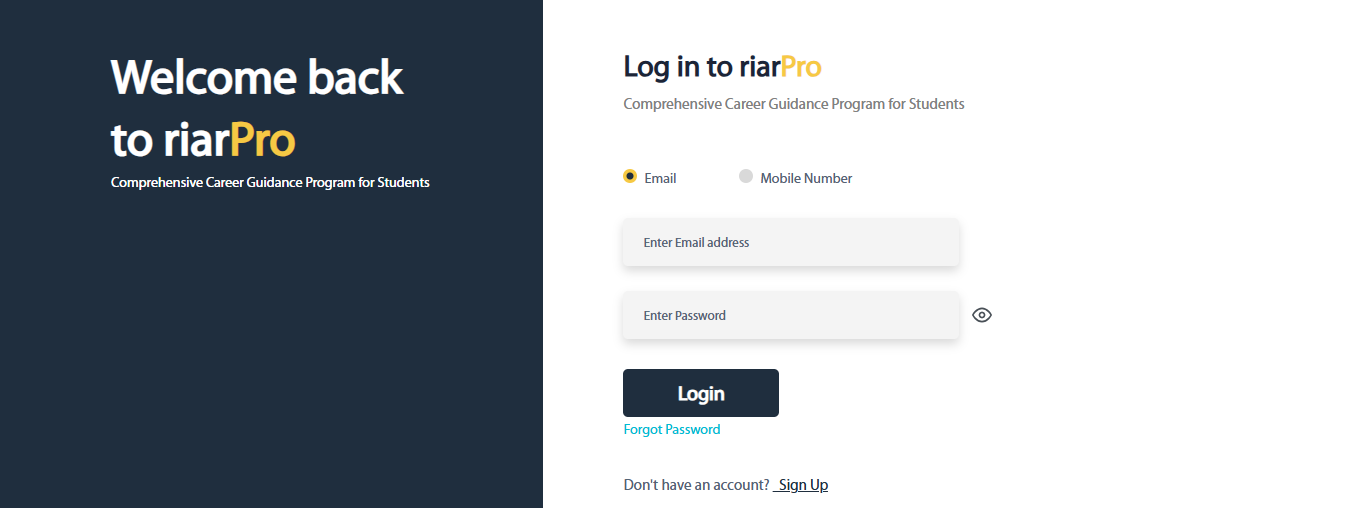
Once your application is approved, log in to your RiarPro account. If you don’t have an account yet, create one.
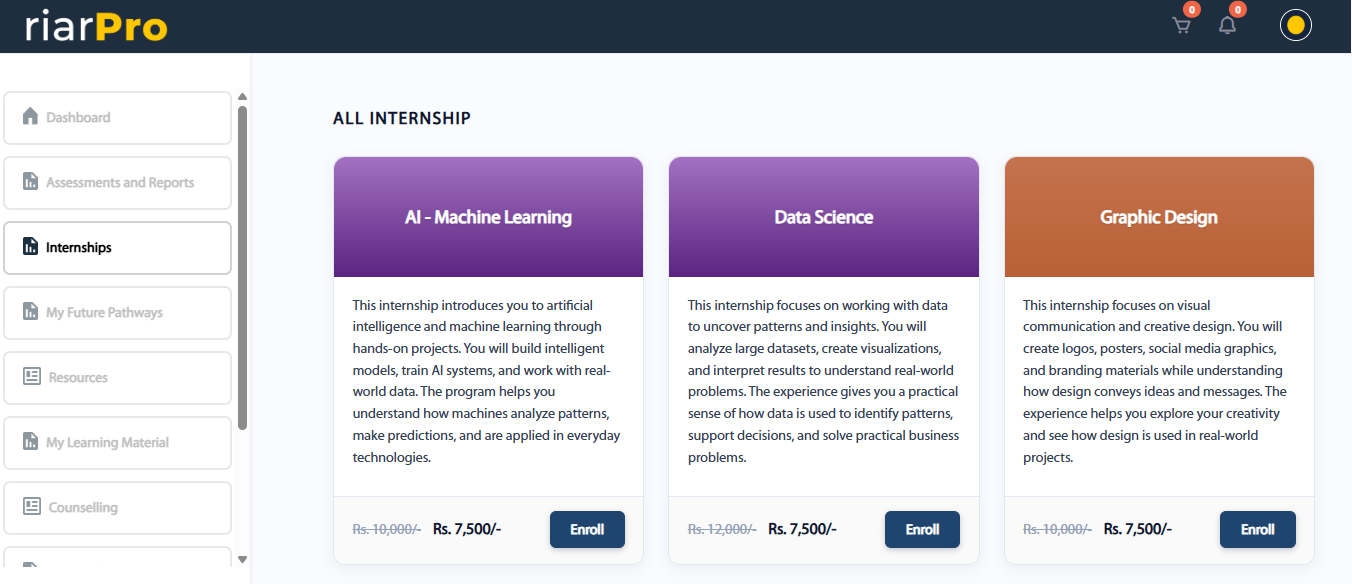
Once you’re logged in, go to the internship menu and select the same internship you chose while filling out the form.
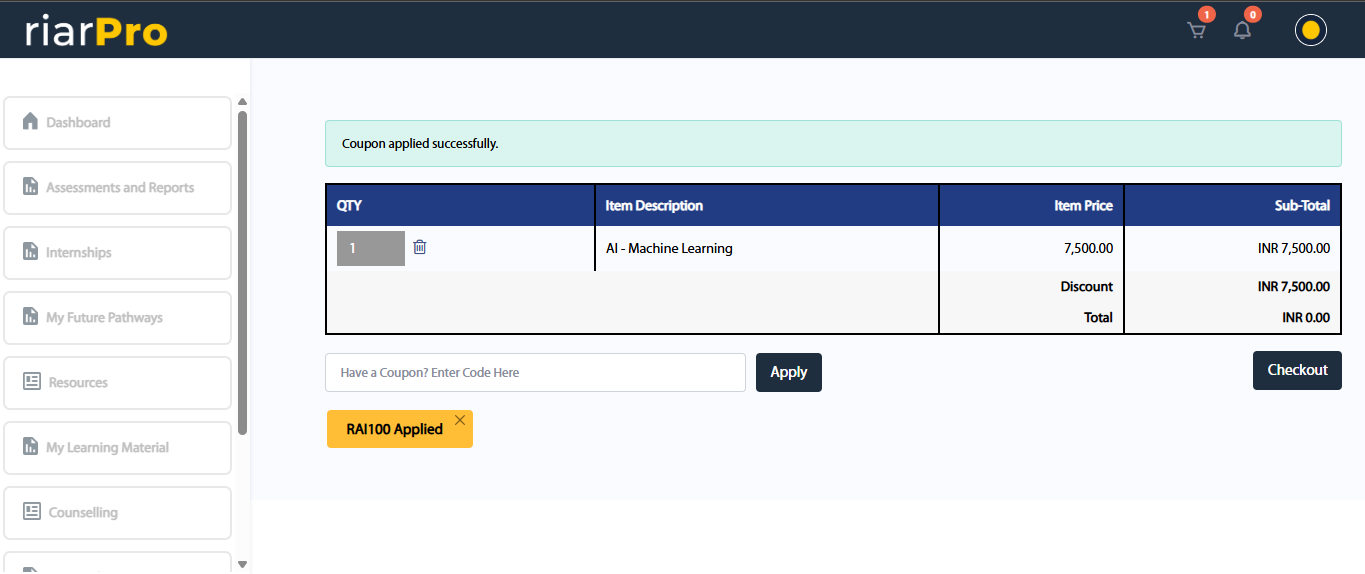
Enter the coupon code shared with you via email and WhatsApp. Once applied, the price will become zero.
Please make sure you select the same internship as your application. Otherwise, the coupon code will not work.
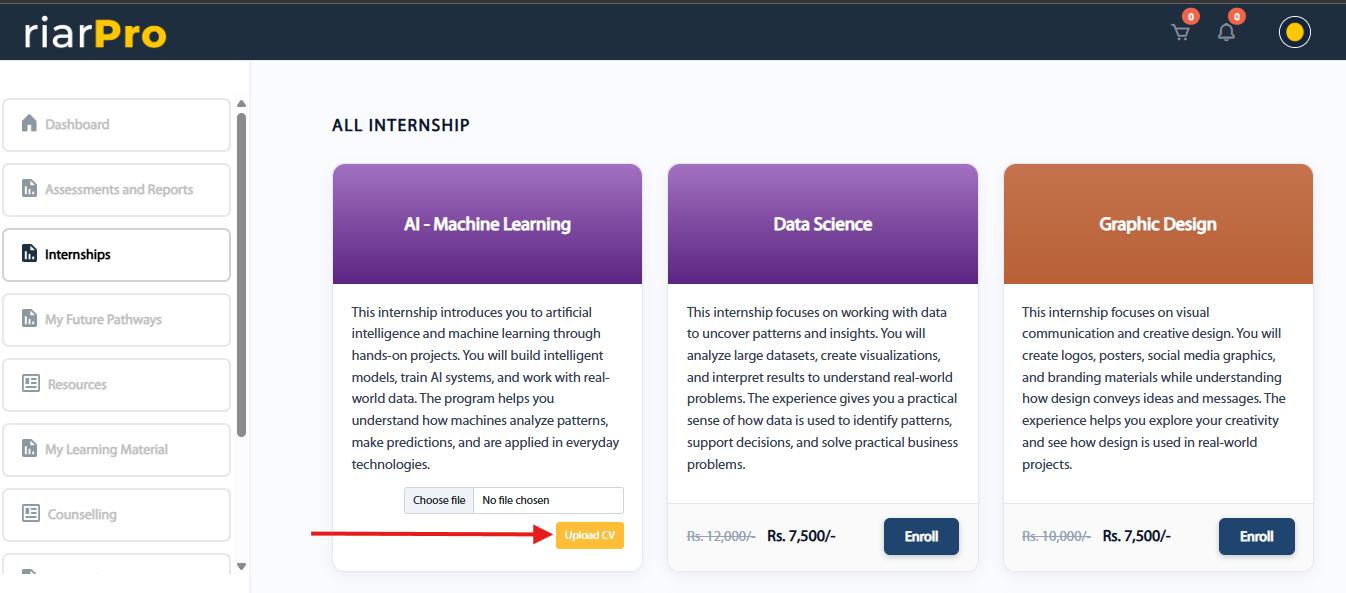
After enrolling, you will see a button to upload your CV. You will need to create one. Once your CV is ready, upload it here.
Once your CV is uploaded, you will see a new button to schedule an interview. Click on it and choose a time that is convenient for you.

On the scheduled time, please make sure you attend the interview.
Uploading your CV and attending the interview are mandatory steps.
After completing these, you will start seeing your class schedule with the date and time. This is where your internship begins.
That’s It
Follow these steps carefully, and you’ll be good to go.
All the best for your internship.